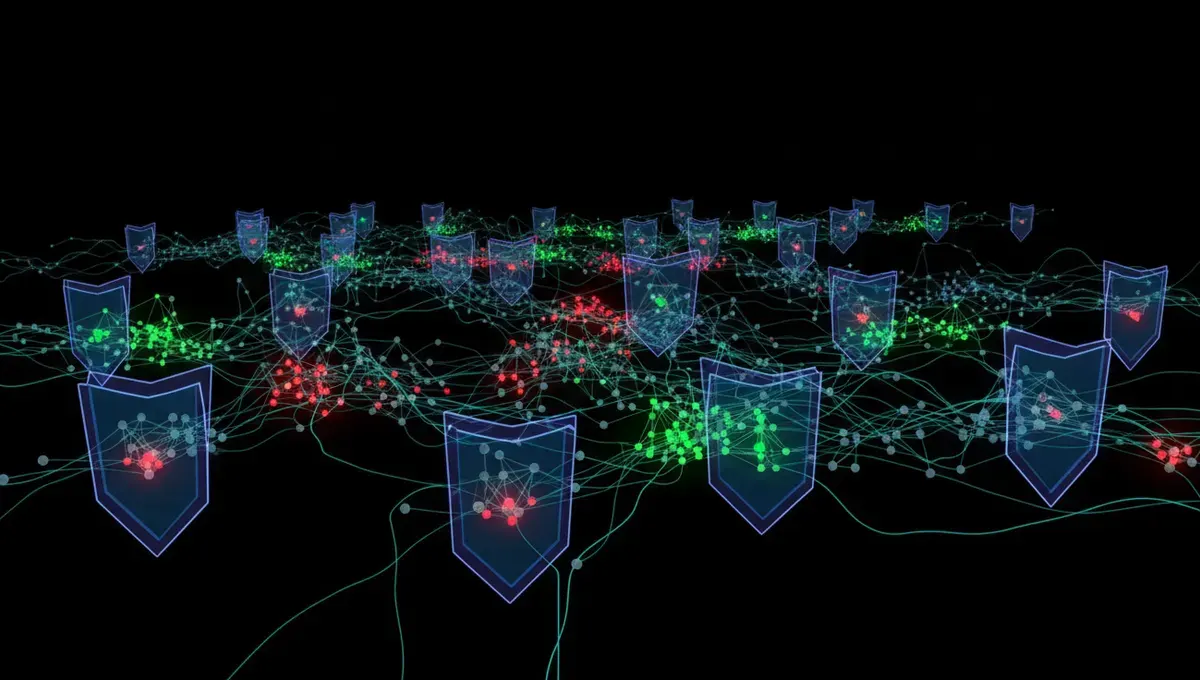
What Topic Links 2.0 Tor Was
Topic Links 2.0 Tor was a directory service designed to catalog onion addresses by category, similar to how a search engine or web portal organizes regular websites. The directory aimed to solve a real problem: discovering legitimate Tor services without stumbling into phishing clones or scams. Users could browse by topic, find links to forums, marketplaces, news sites, and other services, and theoretically access verified addresses.
The directory model appealed to many because Tor's decentralized nature makes it hard to find anything without prior knowledge of an address. Unlike the regular web, there is no Google for onion sites. A curated list promised to fill that gap. However, the centralized nature of any directory also made it a target for manipulation, cloning, and abuse.
How Tor Directories and Link Lists Operate
Directories like Topic Links 2.0 Tor, Topic Links 3.0 Tor, and similar projects typically worked by collecting onion addresses from users, moderators, or automated submissions. The operators would then verify (or claim to verify) that each link was legitimate and categorize it. Some directories used reputation systems, user ratings, or manual review to filter out phishing clones.
The technical challenge was always the same: how do you prove an onion address is authentic when anyone can create a clone with a similar name. Many directories relied on PGP signatures, operator reputation, or community feedback. Others simply listed addresses with minimal verification. The more popular a directory became, the more valuable it was as a target for attackers who would create fake versions or inject malicious links into the real one.
Why Centralized Directories Attract Risk
A centralized directory, even one run by well-intentioned operators, becomes a single point of failure and a honeypot for law enforcement and scammers. If the directory is hosted on a single server or a small set of mirrors, it can be seized, taken offline, or replaced with a phishing clone. Users who bookmark or share a link to the directory may unknowingly direct others to a fake version.
Law enforcement has historically targeted directory operators and marketplace moderators as high-value subjects for investigation. The Tor Project documentation and public court records show that operating a directory or index of illegal services can result in criminal charges, even if the operator did not host the services themselves. This legal risk, combined with technical vulnerabilities, explains why many directories have gone offline or been abandoned over time.
Reality Layer: How Directories Actually Fail
Security research on onion services reveals three consistent failure modes for directories. First, phishing clones proliferate faster than operators can remove them. A user searching for "Topic Links Tor" or "Topic Links 2.2 Tor" may find five different versions, only one of which is real, and even that one may be outdated. Second, directories become targets for law enforcement because they are easier to identify and monitor than individual services. Third, directory operators often lack the resources to verify every link or update the list regularly, leading to dead links and outdated information.
According to Tor Project documentation on onion service best practices, the project itself does not maintain a centralized directory of onion sites for these reasons. Instead, the Tor Project recommends that users rely on PGP-signed announcements from service operators, word-of-mouth verification, and direct communication with communities. This matters to you because it means no single directory can be trusted as a complete or authoritative source. Verification must happen at the address level, not at the directory level.
Distinguishing Real Directories from Phishing Clones
When you encounter a link labeled "Topic Links Tor" or "Topic Links 3.0 Tor," you should verify it before using it. Here are the steps to take:
- Check whether the directory operator has published a PGP-signed announcement on a reputable forum or community site.
- Verify the PGP signature using the operator's public key, which should be available from multiple sources.
- Compare the onion address in the signed announcement with the address you are about to visit.
- If you cannot find a signed announcement or the signatures do not match, assume the directory is a clone.
- Ask in trusted Tor communities (such as the Tor Project forums or established Reddit communities) whether the directory is currently active and legitimate.
Many users skip these steps because they are time-consuming. However, a phishing clone directory can redirect you to malicious versions of real services, leading to credential theft, malware infection, or financial loss. The extra minutes spent verifying are worth the protection.
Safer Alternatives to Centralized Directories
Instead of relying on a single directory, experienced Tor users employ multiple verification methods. They bookmark official onion addresses from PGP-signed announcements published by service operators themselves. They join communities and forums where users discuss and verify addresses in real time. They use the Tor Browser's built-in security features and check for HTTPS and valid certificates where available.
For discovering new services, the safest approach is to follow recommendations from trusted individuals or communities you already know. If you need to find a specific service, search for its official announcement or PGP key on the Tor Project website or established privacy-focused forums. This decentralized verification model is slower than using a directory, but it is far more resistant to manipulation and phishing. It also reduces your exposure to a single point of failure.
What You Should Do Today
If you have bookmarked a directory like Topic Links 2.0 Tor or Topic Links 2.2 Tor, treat it as a starting point only, not a source of truth. Before visiting any onion address from a directory, verify it independently using the steps outlined above. Delete any bookmarks to directories that have not been updated in months or that lack clear operator information and PGP signatures.
Instead, build a personal list of verified onion addresses by collecting PGP-signed announcements from the services you actually use. Join communities where address verification is discussed openly. When you need to find a new service, ask in those communities first. This approach takes more effort than clicking a directory link, but it protects you from phishing, malware, and the sudden disappearance of a centralized resource. Your security depends on your own verification habits, not on trusting any single directory.
Frequently Asked
Is Topic Links 2.0 Tor still online
The status of any directory changes over time. Some versions may be offline, seized, or replaced with clones. To check whether a specific onion address is legitimate, verify it against a PGP-signed announcement from the operator. If you cannot find a recent signed announcement, assume the directory is either inactive or a phishing clone.
How do I know if a Tor directory is real or a fake
A real directory operator publishes PGP-signed announcements on trusted forums or their own website. Verify the PGP signature using the operator's public key, then compare the onion address in the announcement with the address you plan to visit. If the addresses match and the signature is valid, the directory is likely legitimate. If you cannot find a signed announcement, do not trust the directory.
What is the difference between Topic Links 2.0 and Topic Links 3.0 Tor
Different versions of directory projects may have different operators, feature sets, or update schedules. Without access to current documentation or PGP-signed announcements from the operators, it is difficult to say which version is active or legitimate. Always verify the address and operator information before using any directory.
Can I get malware from clicking a link in a Tor directory
Yes. Phishing clones of directories can redirect you to malicious versions of real services or to sites designed to steal credentials or distribute malware. A compromised or fake directory is a common attack vector. Always verify addresses independently and use the Tor Browser's security features to protect yourself.
What should I use instead of a Tor directory
Collect PGP-signed announcements from the services you use, join trusted Tor communities for recommendations, and ask for verification before visiting new addresses. This decentralized approach is slower but far more secure than relying on a single directory.
Check the facts
- The Tor Project — Official Tor browser and network documentation, downloads, and research.
- Electronic Frontier Foundation — Privacy advocacy, digital rights resources, and surveillance awareness guides.
- Freedom of the Press Foundation — Journalist security tools, SecureDrop documentation, and press freedom resources.
- Internet Watch Foundation — Reports on online safety, illegal content, and internet safety awareness.
- National Institute of Standards and Technology — Cybersecurity standards, encryption guidelines, and privacy framework documentation.
- OWASP - Open Web Application Security Project — Web security best practices, vulnerability prevention, and secure coding guidelines.